Are you struggling to provide around-the-clock service for your tenants?
Tenants text. You get a structured ticket. Your team handles the rest.
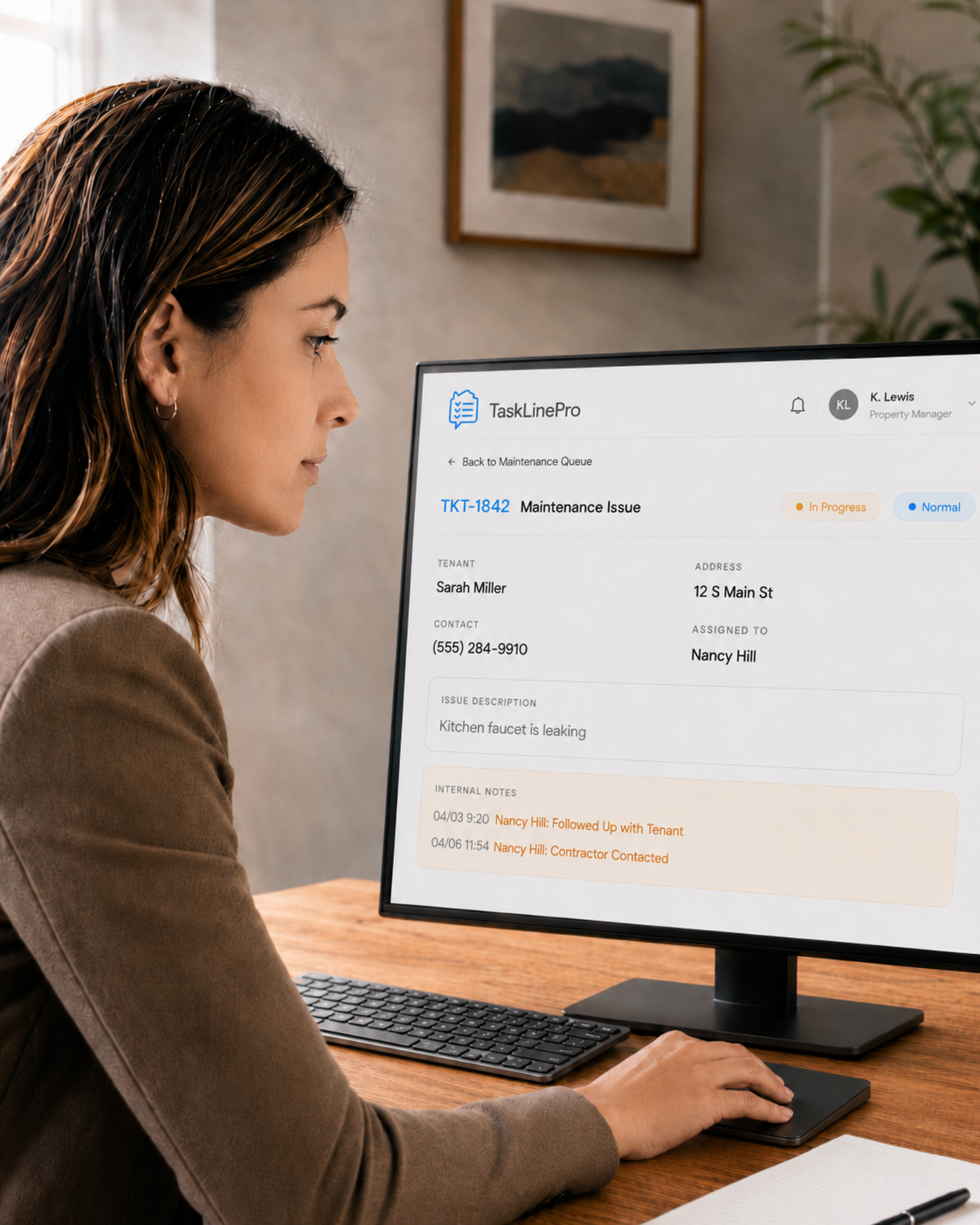
Tenants already text — TaskLinePro just gives them a number to text. Every maintenance request comes back as a clean, structured ticket with address, photos, and priority — automatically. And for tenants who still prefer to call, our 24/7 virtual agent phone line handles it the same way. No answering service. No on-call rotation. No missed voicemails.
Sound familiar?
It's 11 p.m. The call goes to your cell. Again.
Tenants text a number. After-hours requests still get logged — without waking you up. For callers, our voice line answers 24/7 and creates the same structured ticket.
See how it works →You receive incomplete information from tenant - service delayed
You won't be chasing the details of a service ticket because it arrives complete with all necessary information to dispatch the work order.
See how it works →You're managing more units with the same team — and falling behind.
Automate intake, not judgment. TaskLinePro handles the repetitive 80% — first-touch logging, ticket structuring, vendor-ready briefs — so your team focuses on the work only humans can do.
See how it works →Calculate Your Cost Savings
See how much you could save compared to a traditional answering service.
~40 total tickets/mo (0.4 per unit)
~25% after-hours → 10 tickets
Posh: 40 calls (140 min) · TLP: 40 tickets
$204/mo base (100 min included)
$2.04/min overage
Best plan auto-selected from Posh pricing
Both services covering all hours — Posh handles voice calls, TLP handles voice + SMS
Posh Elegant Plan
$285.60/mo
40 calls · 140 min
$204 base + 40 min overage
All voice calls · 24/7 · per-minute billing
TaskLinePro Pro Plan
$27.00/mo
40 tickets · all hours · voice + SMS
$27/mo base · $0.25/ticket · all within plan
Covers daytime + after-hours
You Save
$258.60/mo
$3103.20/year
Both covering all hours — Posh voice vs TLP voice+SMS
Plus: TLP offers easy ticket management, photo attachments, phone line for 24/7 intake via SMS and voice — all included.
Start Saving NowHow It Works
Voice calls and SMS texts run on the same phone line and flow through different intake paths, then merge into a single ticket pipeline for resolution.
Tenant texts the required command
She sends a quick SMS to the TaskLinePro tenant line and receives a secure link back.
tasklinepro.com/a3hO98F...
Tenant fills out the mobile form
The secure link opens a simple form. She enters issue details, uploads a photo, and submits.
Property manager gets an alert
TaskLinePro instantly notifies the team with a detailed service ticket email containing all tenant and issue information.
Property manager follows the alert link to the portal dashboard
The manager reviews the service ticket, contacts the plumber and sets the ticket status to In Progress.
Manager shares service ticket with a plumber
The service ticket is opened in the portal and shared with a trusted service provider, complete with all details and photos. The service visit appointment is confirmed with the tenant and the plumber.
Plumber fixes the leaking faucet
The plumber visits the unit, completes the repair. The property management team member marks the ticket as resolved in the portal.
Property manager resolves the ticket after the issue is addressed
With the repair completed, the property manager opens the dashboard, confirms the work is done, and marks the service ticket as Resolved.
| Property Address | Open | In Progress | Resolved |
|---|---|---|---|
| 12 S Main St | 0 | 0 | 1 |
| 4 Button Dr | 0 | 0 | 0 |
Why Property Managers Switch to TaskLinePro
The problems you deal with every day — scattered messages, missed calls, incomplete work orders — aren't inevitable. Here's how TaskLinePro eliminates them.
One Number. One Place.
Every tenant text and call goes through one shared number. Your whole team sees every message instantly — nothing gets lost on personal phones.
Stop Paying Per Minute
Flat rate per ticket instead of per-minute billing. Whether a tenant texts or calls, you pay the same — and it's typically far less than an answering service.
Every Request, Fully Documented
Every ticket arrives with tenant name, address, contact info, photos, and priority — ready for staff to follow up on, hand to vendor.
Your Team Stays in Sync
New tickets trigger instant SMS and email alerts to your staff. Anyone can click through to see details, reply to the tenant, or update the status.
24/7 Without the Overhead
Tenants text or call any time — nights, weekends, holidays. Every request is logged immediately. Your team starts each day with organized tickets, not missed calls.
See What's Happening Across Properties
Dashboard shows ticket counts by status for every property. Search, filter, export to Excel, and run monthly reports — all in one place.